
.png)
Description
Download I O Pinball – Free Google‑themed Online Pinball Game
Overview of I O Pinball
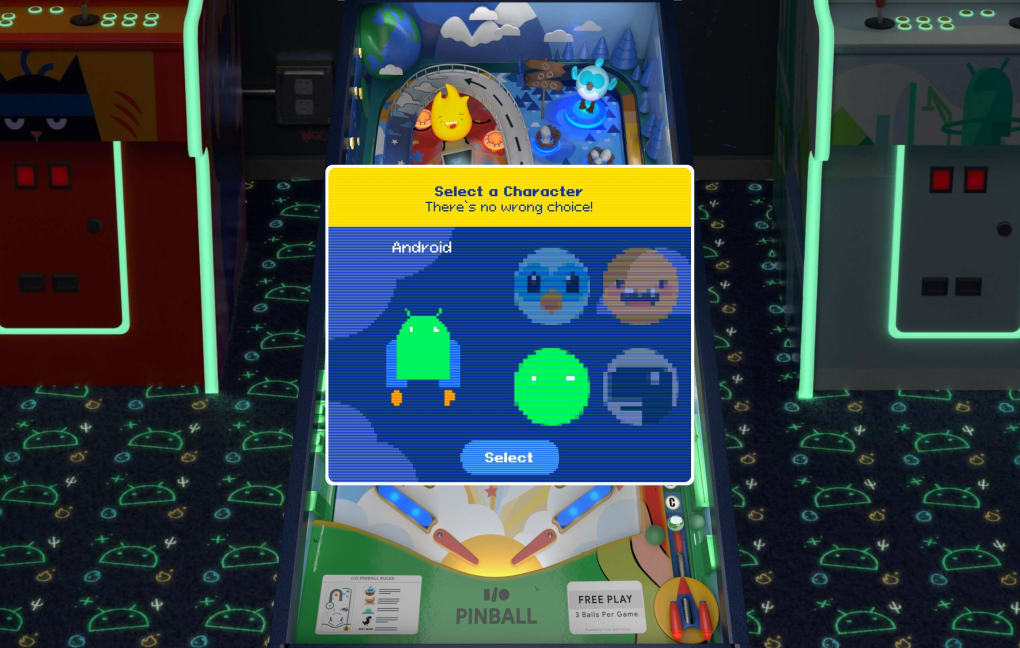
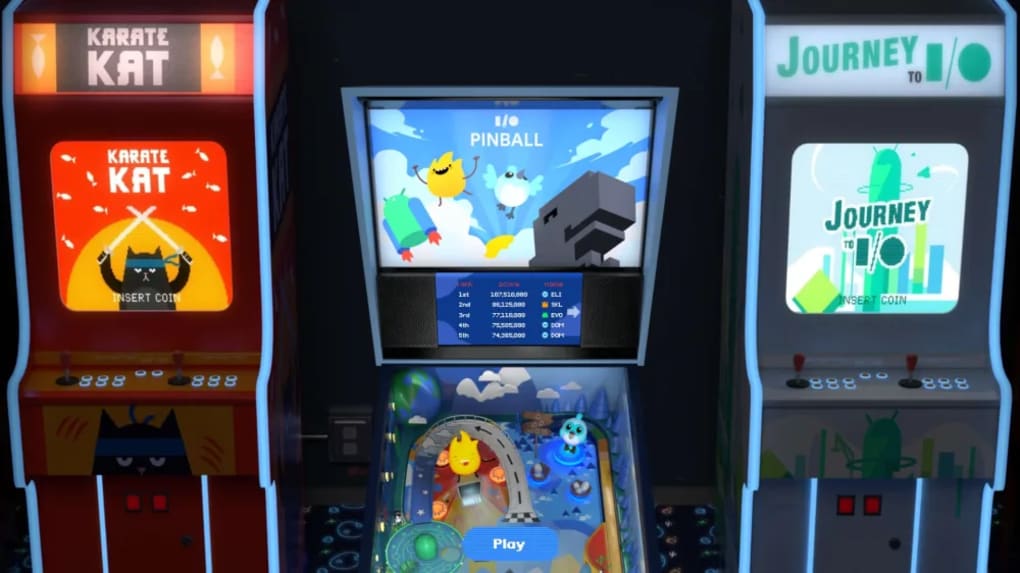
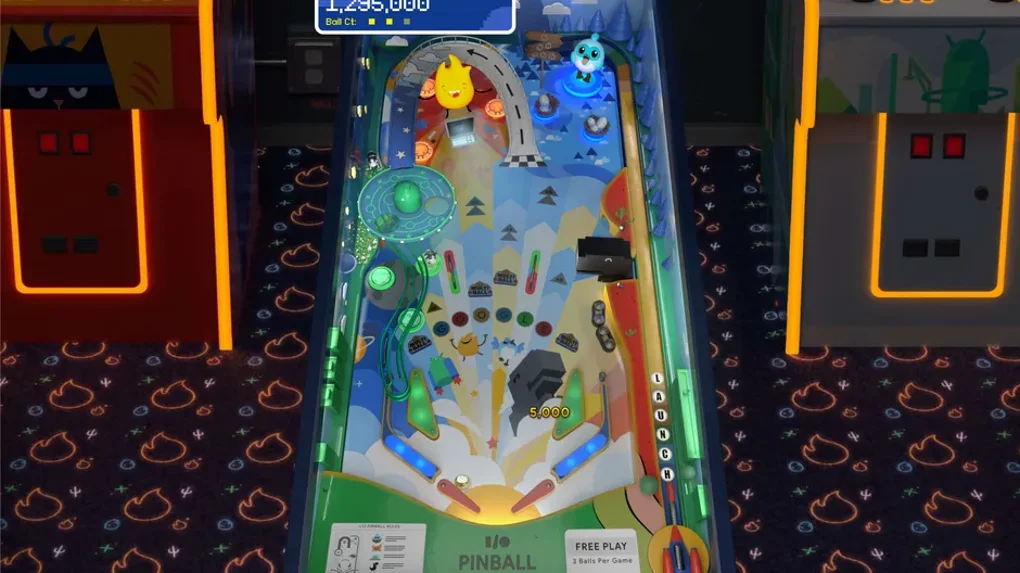
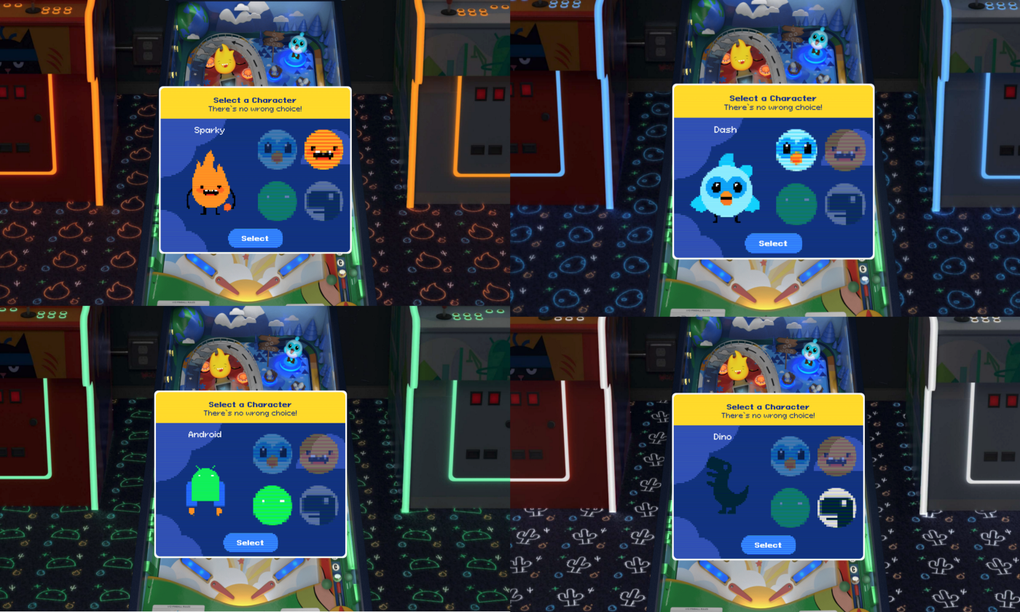
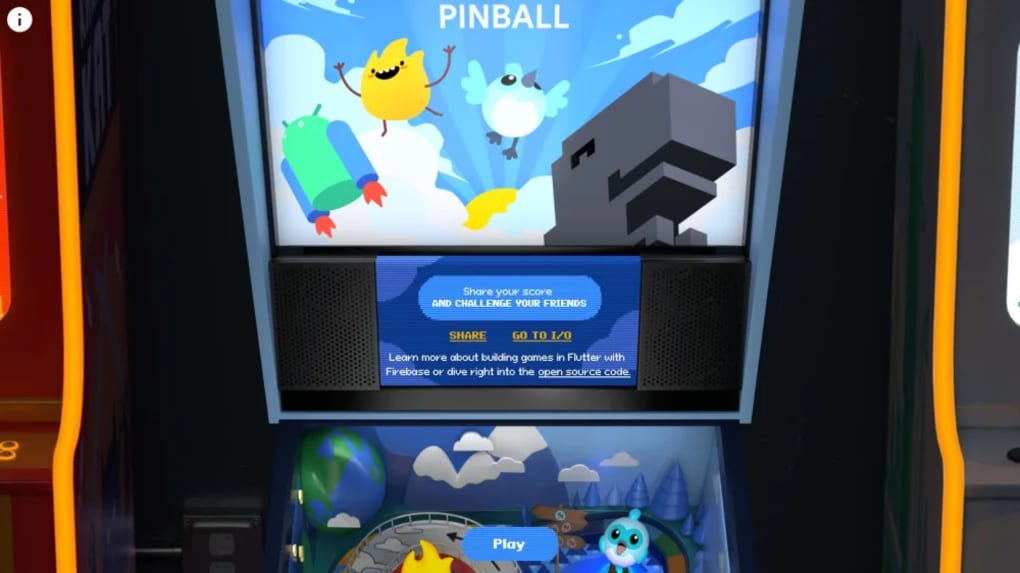
I O Pinball is a free, web‑based pinball arcade that was launched alongside Google I/O 2024 as a playful homage to the developer conference. Built on open‑source technology, the game runs entirely inside a Chrome browser, which means you can start playing instantly without any additional downloads or installations. The experience captures the classic physics‑driven feel of traditional pinball tables while injecting a vivid Google‑centric aesthetic. Players choose from four iconic mascots—Android Bugdroid, Chrome Dino, Flutter Dash, and Firebase Sparky—each of which colors the ball, the surrounding neon décor, and the leaderboard token. This visual personalization makes every round feel unique and ties directly into Google’s ecosystem of products. Gameplay follows familiar pinball mechanics: launch the ball, keep it in play using the left and right flippers, and aim for high‑scoring targets. However, the Google mascots introduce special interactions. For example, crashing into Dash’s nest triggers a multiball mode that multiplies your score, while hitting Sparky’s laptop ignites a fire‑ball that burns through obstacles. Dino can even “eat” the ball and spit it out in a new direction, adding an element of surprise. Although the game is generally smooth, some users report occasional freezes, especially on older hardware or when multiple tabs are open. Despite these minor glitches, I O Pinball delivers an engaging, fast‑paced arcade session that’s perfect for quick breaks or longer gaming marathons. Its bright graphics, responsive controls, and hidden secrets keep players coming back to beat personal high scores and climb the Google‑themed leaderboard.
Key Features of I O Pinball
- Free, browser‑only access – no installation required.
- Four selectable Google mascots that change ball color and table theme.
- Classic pinball physics with modern, responsive flipper controls.
- Special mascot abilities: multiball (Dash), fire‑ball (Sparky), directional spit (Dino).
- Dynamic neon lighting that adapts to the chosen mascot’s palette.
- Hidden bonuses, secret ramps, and score multipliers to discover.
- Leaderboard integration to compare scores with the global community.
- Optimized for Chrome, ensuring smooth rendering and quick load times.
- Open‑source codebase, allowing developers to explore or modify the game.
- Responsive design works on desktops, laptops, and Chrome on mobile devices.
Each feature is crafted to blend the nostalgic charm of a physical pinball machine with the playful spirit of Google’s developer ecosystem. The mascot‑specific power‑ups encourage experimentation; players quickly learn that targeting Dash’s nest early can lead to a lucrative multiball cascade, while a well‑timed hit on Sparky’s laptop creates a fire‑ball that slices through otherwise unreachable targets. The vibrant, animated background reacts in real time to your actions, offering visual feedback that feels both rewarding and immersive. Because the game runs as a web app, updates are deployed instantly—players always enjoy the latest tweaks without needing to download patches. The open‑source nature also means the community can contribute new tables, mascots, or even custom scoring systems, extending the lifespan of I O Pinball far beyond a simple conference novelty.
Installation, Usage & Compatibility
Getting started with I O Pinball is remarkably straightforward. Since the game is a web application, the only prerequisite is a modern Chrome browser (version 90 or newer). This includes Chrome on Windows 10/11, macOS Ventura or later, Linux distributions with Chromium, as well as Chrome on Android and iOS (via Chrome for mobile). Simply navigate to the official I O Pinball URL, and the game loads within seconds. No additional plug‑ins, extensions, or admin rights are needed.
Supported operating systems: Windows, macOS, Linux, Chrome OS, Android, iOS (via Chrome browser).
Once the page loads, you’ll be prompted to select one of the four mascots. After choosing, press the space bar to launch the ball. The left and right arrow keys (or “A” and “D” on some keyboards) control the flippers. For mobile users, on‑screen touch zones appear at the bottom corners of the screen, mirroring the same flipper functionality. The game includes an on‑screen tutorial that appears during the first round, guiding new players through the basic controls and explaining mascot abilities. Score tracking is automatic, and after each ball you’ll see a summary of points earned, bonuses collected, and any special abilities triggered.
Because the game runs entirely in the browser, performance hinges on your device’s processing power and internet connection. On a typical desktop or laptop with a stable broadband connection, the experience is fluid at 60 fps. Mobile devices may experience slight frame drops on older hardware, but the game’s lightweight design keeps the experience enjoyable. If you encounter the occasional freeze, a quick page refresh or closing other heavy tabs usually resolves the issue. For the best experience, ensure your Chrome browser is up to date and that hardware acceleration is enabled in Chrome’s settings.
Pros, Cons, FAQ and Final Verdict
Pros
- Completely free and requires no installation.
- Fast loading times and smooth gameplay on modern browsers.
- Fun mascot‑specific power‑ups add strategic depth.
- Bright, Google‑themed visuals keep the experience fresh.
- Open‑source nature encourages community contributions.
Cons
- Occasional freezing on older devices or crowded browser tabs.
- Limited to Chrome; other browsers may not support full features.
- Short gameplay sessions can feel repetitive after many rounds.
- No offline mode – requires an internet connection.
- Leaderboard resets after each Google I/O event, losing long‑term records.
Frequently Asked Questions
Do I need to create a Google account to play I O Pinball?
No. The game is completely anonymous. You can play and view the leaderboard without signing in.
Can I play I O Pinball on mobile browsers?
Yes. The web app works on Chrome for Android and iOS, offering touch‑screen flipper controls.
Is there a way to save my high scores permanently?
Scores are stored in the browser’s local storage and synced to a temporary leaderboard that resets after each I/O event.
What should I do if the game freezes?
Refresh the page or close other heavy tabs. Updating Chrome to the latest version also helps reduce freezes.
Can I modify the game’s source code?
Yes. I O Pinball is open source, and the repository is publicly available on GitHub for anyone to fork or contribute.
Conclusion & Call to Action: If you’re looking for a quick, free, and visually appealing way to kill a few minutes while celebrating Google’s developer spirit, I O Pinball delivers a solid experience. Its mascot‑driven power‑ups and bright theme set it apart from generic online pinball games, and the fact that it runs directly in Chrome makes it instantly accessible. While occasional freezes and the lack of a persistent leaderboard are minor drawbacks, they do not outweigh the overall fun factor. Ready to test your reflexes and climb the Google‑themed high‑score board? Click here to launch I O Pinball now and start flinging!
Guides & Tutorials for O Pinball
How to install O Pinball
- Click the Preview / Download button above.
- Once redirected, accept the terms and click Install.
- Wait for the O Pinball download to finish on your device.
How to use O Pinball
This software is primarily used for its core features described above. Open the app after installation to explore its capabilities.
User Reviews for O Pinball 0
No reviews found




